Everything you need to go from an empty pad grid to a finished beat: recording, editing, the 45 built-in presets, mixing and the difference between the free and PRO versions.
What you see the moment BeatPad opens.
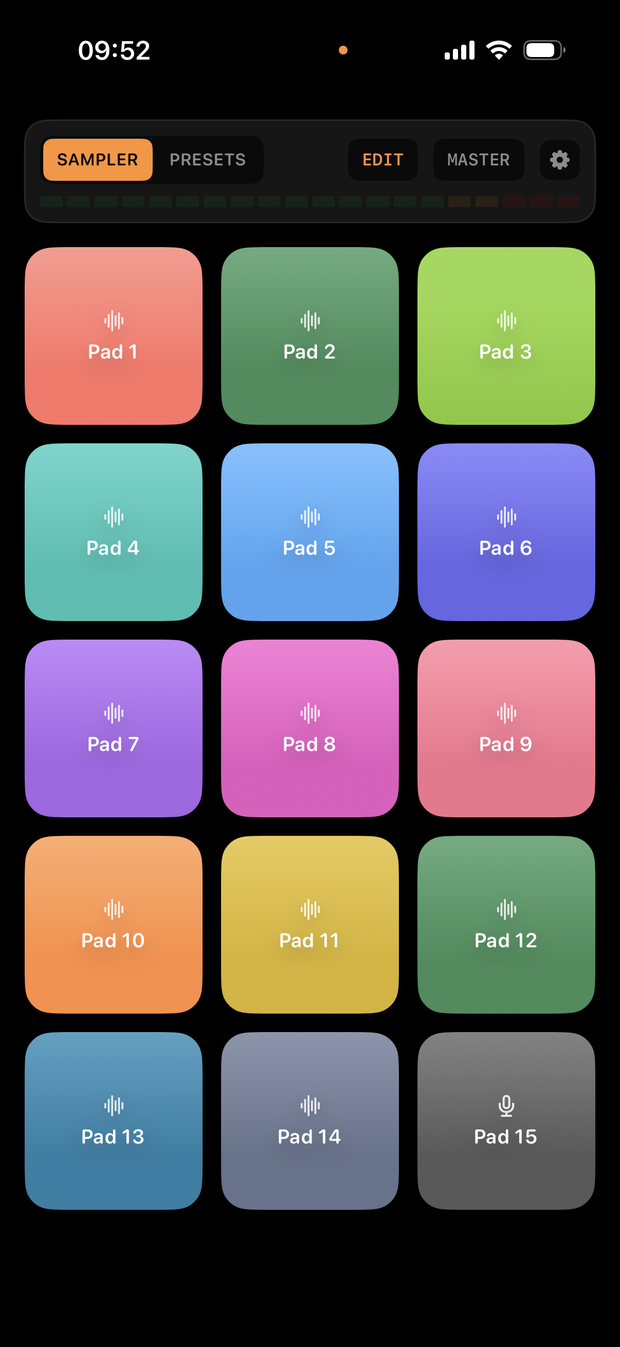
BeatPad opens straight into Live Sampler, its main mode: a 3×5 grid of 15 pads you tap and hold like a hardware beat pad. At the top of the screen, a small toggle switches the whole grid between two modes:
Next to the toggle you'll also find EDIT (opens the sample editor for a pad), a MASTER button (overall volume and compressor) and a settings gear. The thin bar under the toggle is a live output meter, so you can see the signal while you play.
Turn any of the 15 pads into a real sound in seconds.
Press and hold your finger on any empty pad. BeatPad starts recording from the microphone right away — no separate "record" button to hit first.
Lift your finger when you're done making the sound. The recording is trimmed and saved to that pad automatically, and the pad lights up to show it now holds a sample.
Once a pad has a recording, a normal tap plays it instantly — the same fast, low-latency response you get from the presets.
Pressing an already-recorded pad plays it immediately; keep holding for about half a second and it arms for a new recording, which starts the moment you release and press again — handy for quickly replacing a sound without opening the editor.
Free plan: you can record on 3 pads at a time. Once those 3 slots are used, tapping any other empty pad opens the PRO paywall — recordings you've already made stay playable and editable no matter what. BeatPad PRO removes the limit entirely, unlocking all 15 pads for recording.
Tap EDIT, then tap any pad to open its editor.
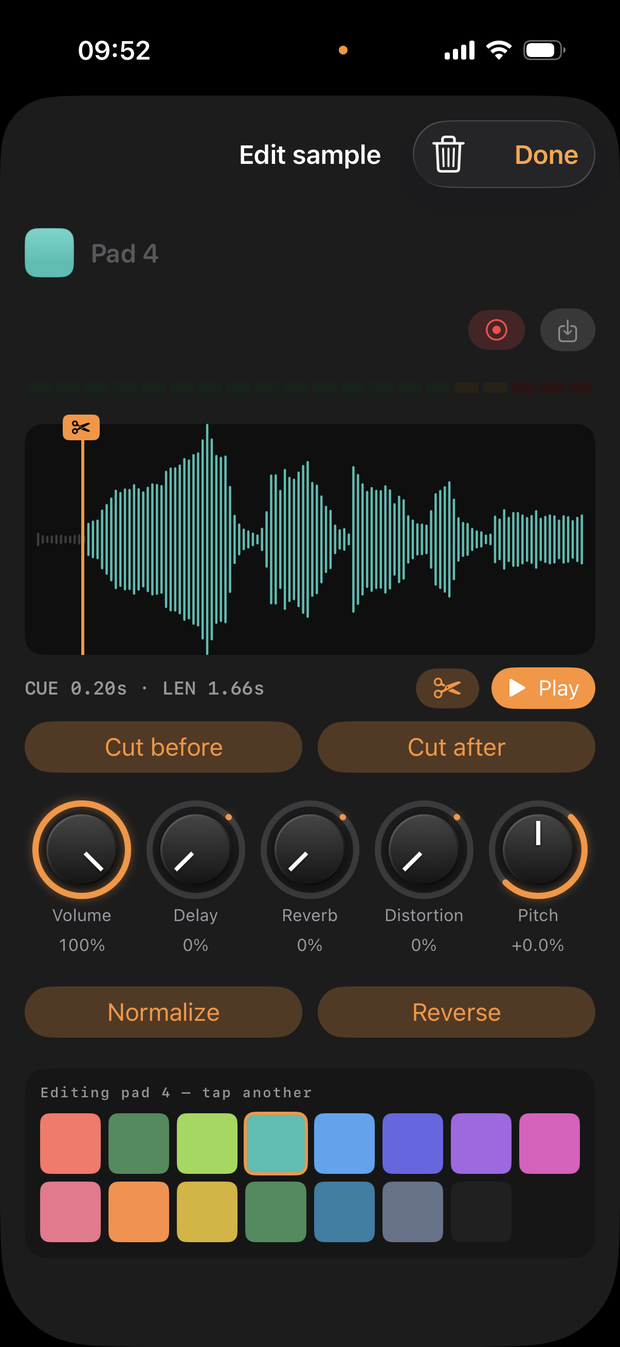
The pad editor gives you full control over a single sample:
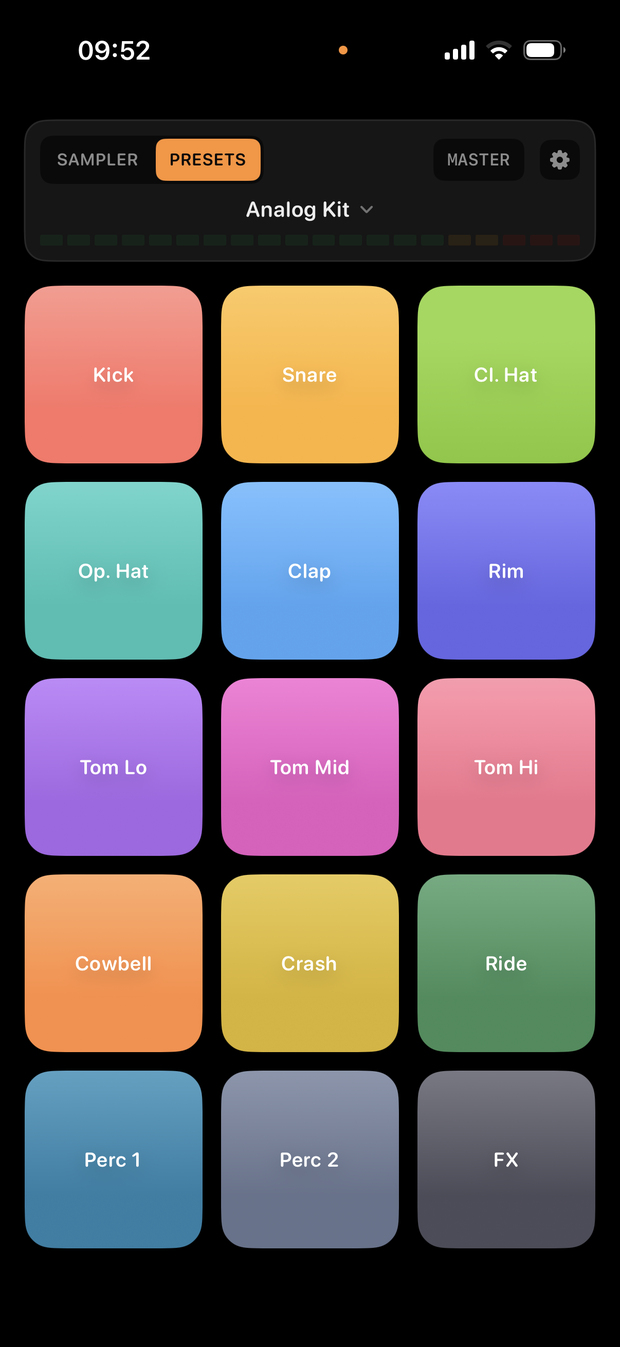
Switch the top toggle to PRESETS to play a ready-made sound pack.
In Presets mode, tap the pack name at the top of the screen to open the full Sample Pack list. Presets span three families:
Acoustic Kit, World Percussion, Pluck Synth and Chiptune Arcade are free to play in full. Every other pack shows a lock icon — tapping it opens the PRO paywall, and BeatPad PRO unlocks all 45 at once. Presets aren't editable like Live Sampler pads: they're ready-to-play instruments, picked by tapping their row in the list.
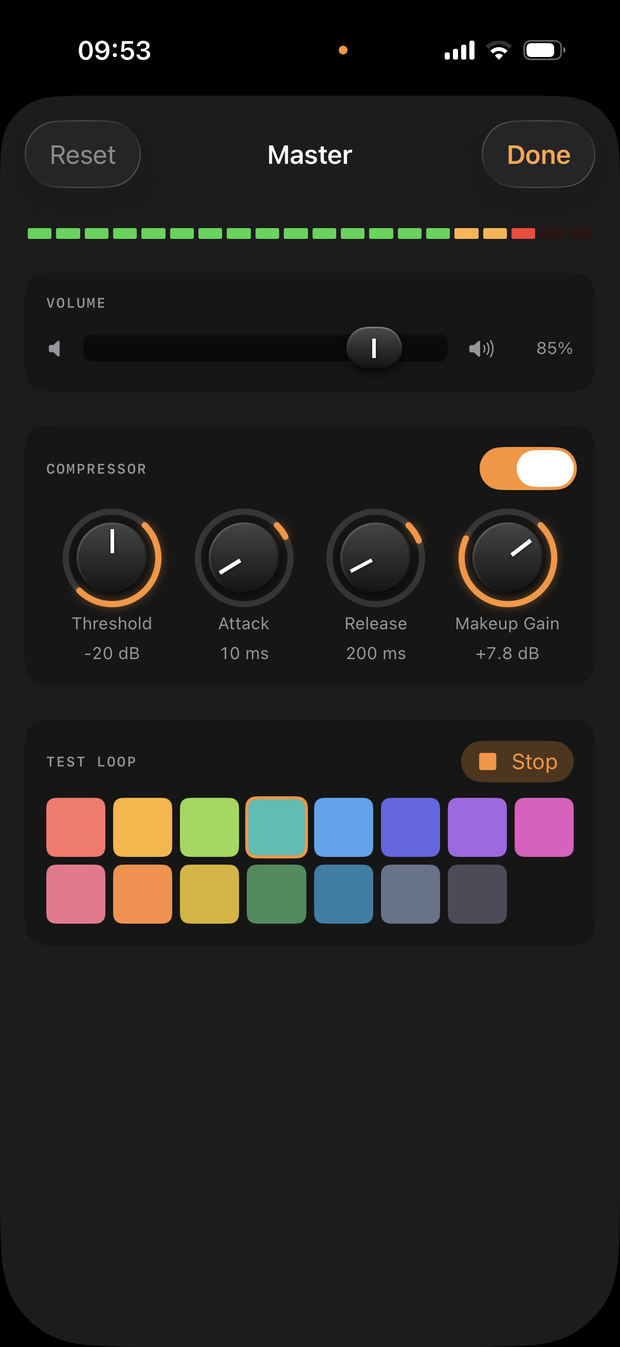
Tap MASTER in the HUD to open the final mix stage.
The Master panel sits after every pad, in both Live Sampler and Presets, and affects everything you play:
The compressor button glows orange whenever it's active, so you can tell at a glance from the main pad screen whether it's shaping your sound.
One unlock, no subscription.
Record on 3 of the 15 Live Sampler pads, play 4 full preset packs, and use every editing tool and effect with no time limit.
Unlocks all 15 Live Sampler pads for recording and all 45 preset packs. It's a one-time purchase — pay once and it's yours forever, no subscription and no ads either way.
Yes. BeatPad is free to download and use: you can record on 3 Live Sampler pads and play 4 full preset packs at no cost. BeatPad PRO is a one-time purchase (no subscription) that unlocks all 15 Live Sampler pads and all 45 presets for good.
Yes. Recording, editing and playing pads all work fully offline — an internet connection is only needed to purchase BeatPad PRO or restore a previous purchase.
Yes. In the pad editor, tap Import to pick any common audio file — WAV, MP3, M4A, AIFF, CAF and more — from your device or from iCloud Drive, without touching the microphone.
The free version lets you record on 3 of the 15 Live Sampler pads. BeatPad PRO removes that limit and unlocks all 15 pads for recording, plus every preset pack.
Directly on your device. BeatPad has no cloud service of its own, so recordings and imported samples stay in local storage until you delete them, overwrite them, or uninstall the app.
Presets are fixed instruments (drum kits, synths and real samples) and aren't editable — only Live Sampler pads can be renamed, recolored, trimmed and processed with effects. To customize sound, record or import into Live Sampler instead.
Each Live Sampler pad has its own Volume, Delay, Reverb, Distortion and Pitch controls, adjustable with on-screen knobs in the pad editor, plus a Master panel with overall volume and a compressor for the final mix.
BeatPad is available for free on the App Store, for iPhone and iPad.
Download on the App Store BeatPad